
The Benefits of Choosing WordPress Over Custom Development
Category: Web Design | Web Development | Wordpress
1. Ease of Use
WordPress is known for its intuitive dashboard and drag-and-drop page builders, making it easy for anyone to create a website without needing prior coding experience. With pre-built themes and plugins, users can quickly customize their site without touching a single line of code. Popular page builders like Divi and Elementor allow for seamless design control, making website development accessible to everyone.
2. Faster Development Time
Developing a website from scratch using custom code can take weeks or even months. WordPress significantly reduces development time by offering thousands of pre-designed themes and ready-to-use plugins. Instead of coding features from scratch, plugins provide instant solutions for functionality, such as contact forms, SEO, and security. This allows businesses to launch their websites much faster than they would with a custom-coded approach.
3. Cost-Effectiveness
Custom coding requires hiring experienced developers, which can be costly. With WordPress, you can create a fully functional website at a fraction of the cost. Many high-quality themes and plugins are available for free, while premium options offer advanced features at affordable prices. Additionally, because WordPress is user-friendly, you won’t need to pay developers for every small update or modification—you can do it yourself.
4. Extensive Plugin Support
One of WordPress’s strongest advantages is its extensive plugin ecosystem. With over 59,000 plugins available, you can add virtually any functionality to your site without coding. Whether you need to enhance security with Wordfence, boost performance with WP Rocket, or build an online store with WooCommerce, WordPress has a solution for every need.
5. SEO-Friendly Architecture
WordPress is built with SEO in mind. It features clean, well-structured code, fast-loading pages, and a responsive design, which are all essential for ranking well on search engines. Additionally, SEO plugins such as Yoast SEO and Rank Math help optimize your content for better visibility on Google.
6. Security & Regular Updates
Security is a major concern for any website. While custom-coded websites require dedicated security implementations, WordPress offers built-in security features and regular updates to protect against threats. Additionally, security plugins such as Wordfence provide advanced malware scanning, firewall protection, and real-time monitoring, ensuring that your website remains safe from cyber attacks.
7. Scalability & Flexibility
Whether you’re running a small blog or a large enterprise website, WordPress is highly scalable. You can start with a simple website and expand its features over time by adding plugins and custom functionalities. Unlike custom-coded websites that require complex development work for scaling, WordPress allows you to grow effortlessly without extensive rework.
8. Strong Community Support
One of the biggest advantages of WordPress is its vast and active community. With millions of users, developers, and designers worldwide, you’ll always find support through forums, tutorials, and documentation. Whether you need troubleshooting help, new design ideas, or plugin recommendations, the WordPress community ensures that you never feel stuck.
9. Mobile Responsiveness
In today’s digital world, having a mobile-friendly website is essential. WordPress offers a wide range of responsive themes, ensuring that your site looks great on any device. Mobile responsiveness improves user experience and SEO rankings, making it an important factor when choosing a website platform.
10. eCommerce Capabilities with WooCommerce
If you want to build an online store, WordPress, combined with WooCommerce, is the perfect solution. WooCommerce provides all the features you need to run a successful eCommerce business, including product management, secure payment gateways, and inventory tracking.
11. Built-In Blogging Capabilities
Originally designed as a blogging platform, WordPress offers robust content management features. Whether you’re running a personal blog or a business website with a blog section, WordPress makes it easy to create and manage blog posts. Features like scheduled publishing, categories, tags, and SEO-friendly URL structures help optimize your content for maximum reach and engagement.
12. Integration with Third-Party Tools
WordPress seamlessly integrates with various third-party tools, including email marketing platforms, CRM software, and analytics tools. You can connect your website with Mailchimp for email marketing, HubSpot for customer relationship management, and Google Analytics for tracking visitor behavior. These integrations make it easier to grow your online presence and improve user engagement.
Conclusion:
Unless you have highly specific needs that require a fully custom-built solution, WordPress is the best choice for most businesses and website owners. By choosing WordPress, you benefit from a vast selection of themes and plugins, strong security features, and robust SEO tools. Additionally, its user-friendly interface, affordability, and strong community support make it an ideal platform for both beginners and experienced developers.
If you’re looking for a hassle-free way to create a professional website, WordPress is the way to go. With its flexibility, scalability, and continuous improvements, WordPress ensures that your website remains functional, secure, and future-proof.
Search blogs
Other Blogs
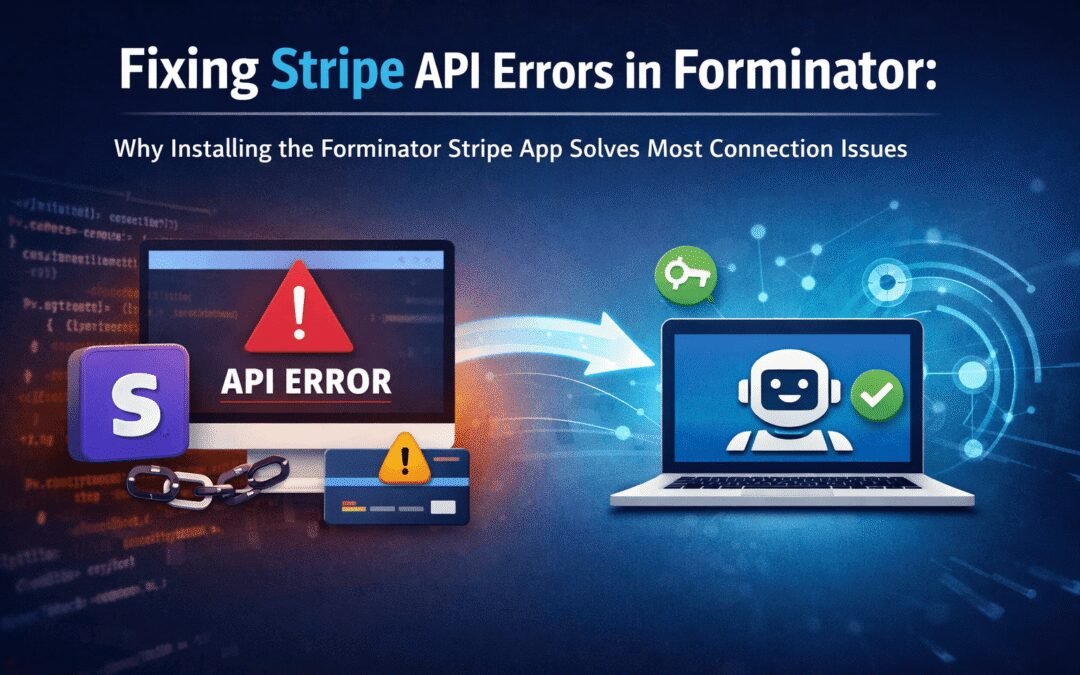
Fixing Stripe API Errors in Forminator: How the Forminator Stripe App Solves Connection Issues
If your Stripe payments are failing or Forminator is showing API connection errors, the issue is usually caused by missing or invalid Stripe permissions. This happens when Stripe API keys are not properly linked or have been restricted by Stripe for security reasons....
How to Fully Secure Your WordPress Website Using Defender Pro
Securing a WordPress website requires more than just installing a security plugin—it depends on configuring the right features correctly. Defender Pro provides a comprehensive set of tools designed to protect your site from hackers, malware, and unauthorized access when used effectively.
How To Fix The Missing Divi Library Layouts Issue
Missing Divi Library layouts are often caused by permalink or rewrite rule conflicts, especially after site migrations, updates, plugin changes, or hosting switches. In most cases, the issue can be fixed quickly by simply re-saving your WordPress permalinks. This forces WordPress to regenerate its rewrite rules, which Divi relies on to load saved layouts correctly. Once refreshed, the Divi Library items usually reappear instantly in the Divi Builder without any data loss or configuration changes.
How to Fix WordPress Not Sending Emails Problem
One of the most frustrating issues for WordPress users is when the website suddenly stops sending emails. Whether it’s contact form messages, password reset links, or WooCommerce order notifications — these emails are essential for smooth communication and user trust....
10 Common WordPress Issues and How to Fix Them
WordPress is a powerful and flexible platform, but it can occasionally present technical challenges that disrupt your website’s performance or functionality. From plugin conflicts and slow loading speeds to security issues, broken links, and failed updates, these problems are common for many site owners. This guide highlights the most frequent WordPress issues and provides practical, easy-to-follow solutions to resolve them quickly. Whether you’re troubleshooting errors, improving performance, or strengthening security, understanding these fixes can help keep your WordPress site running smoothly and reliably.