
The Importance of Responsive Design in WordPress Websites
Category: Web Design | Web Development | Wordpress
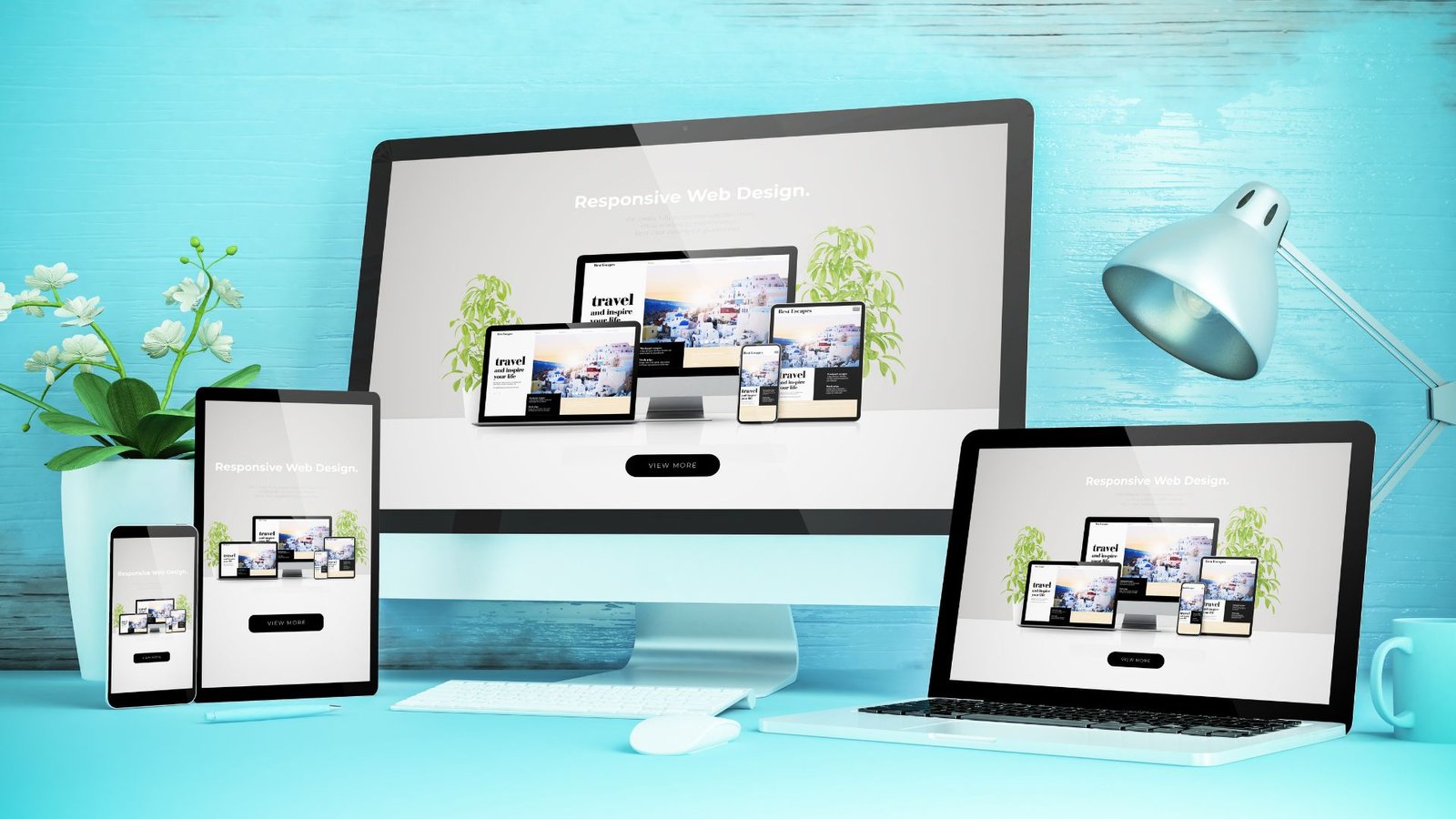
In today’s digital landscape, where users access websites from a wide range of devices, responsive design has become essential for any successful website, including those built on the WordPress platform. Responsive design refers to the practice of designing and developing websites that adapt and respond to different screen sizes, resolutions, and devices, providing an optimal viewing experience for users across desktops, laptops, tablets, and smartphones. Here are several reasons why responsive design is crucial for WordPress websites:
1. Mobile Usage is on the Rise:
With the increasing popularity of smartphones and tablets, more and more users are accessing the internet on mobile devices. A responsive design ensures that your WordPress website looks and functions well on smaller screens, catering to the growing mobile audience.
2. Improved User Experience:
A responsive website provides a seamless and consistent user experience across all devices. Visitors can easily navigate your site, read content, and interact with features without having to zoom in or out or scroll horizontally, leading to higher engagement and satisfaction.
3. Better SEO Performance:
Responsive design is favored by search engines like Google because it provides a single URL for both desktop and mobile users, making it easier for search engine bots to crawl and index content. Additionally, Google gives preference to mobile-friendly websites in search results, so having a responsive design can improve your site’s visibility and rankings.
4. Cost-Effectiveness:
Maintaining separate desktop and mobile versions of your website can be time-consuming and costly. With a responsive design, you only need to manage one set of content, layouts, and codebase, streamlining the development process and reducing maintenance overhead.
5. Future-Proofing Your Website:
As new devices with varying screen sizes and resolutions continue to emerge, responsive design ensures that your WordPress website remains adaptable and compatible with future technologies. It allows your site to scale seamlessly without requiring significant redesign or redevelopment.
6. Increased Conversion Rates:
A responsive website is more likely to convert visitors into leads or customers, as it provides a consistent and intuitive user experience regardless of the device used. Whether visitors are browsing your site on a desktop computer or a smartphone, they can easily complete desired actions such as filling out forms, making purchases, or contacting you.
Conclusion:
In conclusion, responsive design is not just a trend but a necessity for WordPress websites in today’s digital landscape. By ensuring that your site is accessible and user-friendly across all devices, you can enhance user experience, improve SEO performance, and drive better results for your business or organization. Investing in responsive design is essential for staying competitive and meeting the evolving needs of your audience.
If you want to make your Website Responsive, Contact us to get more information about it.
Search blogs
Other Blogs

Fixing Stripe API Errors in Forminator: How the Forminator Stripe App Solves Connection Issues
If your Stripe payments are failing or Forminator is showing API connection errors, the issue is usually caused by missing or invalid Stripe permissions. This happens when Stripe API keys are not properly linked or have been restricted by Stripe for security reasons....
How to Fully Secure Your WordPress Website Using Defender Pro
Securing a WordPress website requires more than just installing a security plugin—it depends on configuring the right features correctly. Defender Pro provides a comprehensive set of tools designed to protect your site from hackers, malware, and unauthorized access when used effectively.
How To Fix The Missing Divi Library Layouts Issue
Missing Divi Library layouts are often caused by permalink or rewrite rule conflicts, especially after site migrations, updates, plugin changes, or hosting switches. In most cases, the issue can be fixed quickly by simply re-saving your WordPress permalinks. This forces WordPress to regenerate its rewrite rules, which Divi relies on to load saved layouts correctly. Once refreshed, the Divi Library items usually reappear instantly in the Divi Builder without any data loss or configuration changes.
How to Fix WordPress Not Sending Emails Problem
One of the most frustrating issues for WordPress users is when the website suddenly stops sending emails. Whether it’s contact form messages, password reset links, or WooCommerce order notifications — these emails are essential for smooth communication and user trust....
10 Common WordPress Issues and How to Fix Them
WordPress is a powerful and flexible platform, but it can occasionally present technical challenges that disrupt your website’s performance or functionality. From plugin conflicts and slow loading speeds to security issues, broken links, and failed updates, these problems are common for many site owners. This guide highlights the most frequent WordPress issues and provides practical, easy-to-follow solutions to resolve them quickly. Whether you’re troubleshooting errors, improving performance, or strengthening security, understanding these fixes can help keep your WordPress site running smoothly and reliably.